Open a terminal window on any modern system and it defaults to 80 columns wide and 24 rows tall. The software that enforces this was written decades after the hardware that motivated it was retired, which was itself designed to be compatible with a card format established in 1928. The number 80 has traveled from a keypunch machine to a glass teletype to a VT100 to xterm to your laptop screen, picking up no additional justification along the way.
Before the Punch Card
The idea of encoding information in patterns of holes predates computing by more than a century. Joseph Marie Jacquard demonstrated his programmable loom in 1801, using chains of stiff punched cards to control which warp threads were lifted on each pass of the shuttle. A different card, a different pattern. The loom read its program one row at a time, and the program could be any length: you just chained more cards together.
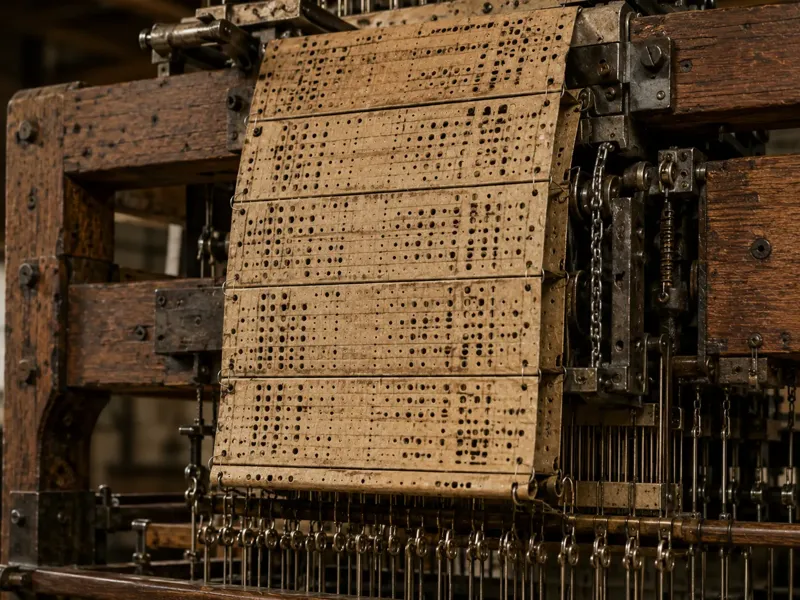 Charles Babbage knew about the Jacquard loom and explicitly used it as the model for how his Analytical Engine would receive instructions. His Engine, had it been built, would have taken input from punched cards and produced output by punching new ones. Ada Lovelace’s notes on the Engine make the connection explicit: “The Analytical Engine weaves algebraical patterns, just as the Jacquard loom weaves flowers and leaves.”
The loom used cards; Babbage proposed cards; the logic of encoding data in holes was already well-established by the time Herman Hollerith needed a way to tabulate the 1890 US Census.
Hollerith and the 80-Column Standard
Hollerith was a statistician who had worked on the 1880 census and understood exactly how bad the situation was: that census took seven years to tabulate by hand. With a growing population, the 1890 census threatened to take longer than ten years, which would mean the results would be obsolete before they were published. His solution was an electrical tabulating machine that read data encoded as holes punched in cards.
His cards were sized to match the US currency of the era: the large-format dollar bills in circulation before 1929 measured roughly 7⅜ by 3¼ inches, and Hollerith adopted that rectangle. The convenience was practical: existing cash drawers and bill-size containers could store cards without modification. The card dimensions became a physical standard long before anyone thought much about the number of columns they would eventually hold.
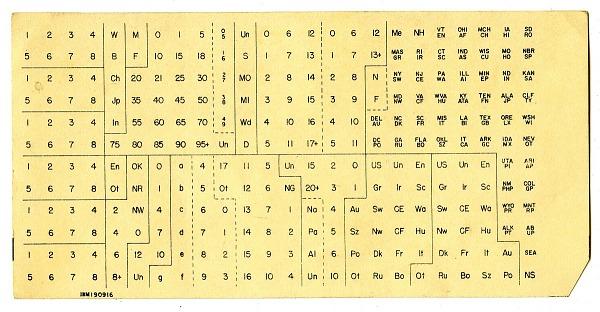
Hollerith’s original 1890 cards used 12 rows and approximately 45 columns of round holes arranged for census-specific data. The format evolved over subsequent decades as the technology was commercialized. IBM, which had absorbed Hollerith’s Tabulating Machine Company through a series of mergers by 1924, introduced the definitive format in 1928: 80 columns of smaller, rectangular holes on the same physical card. The 80-column IBM card became the universal medium for computing input and storage for the next four decades.
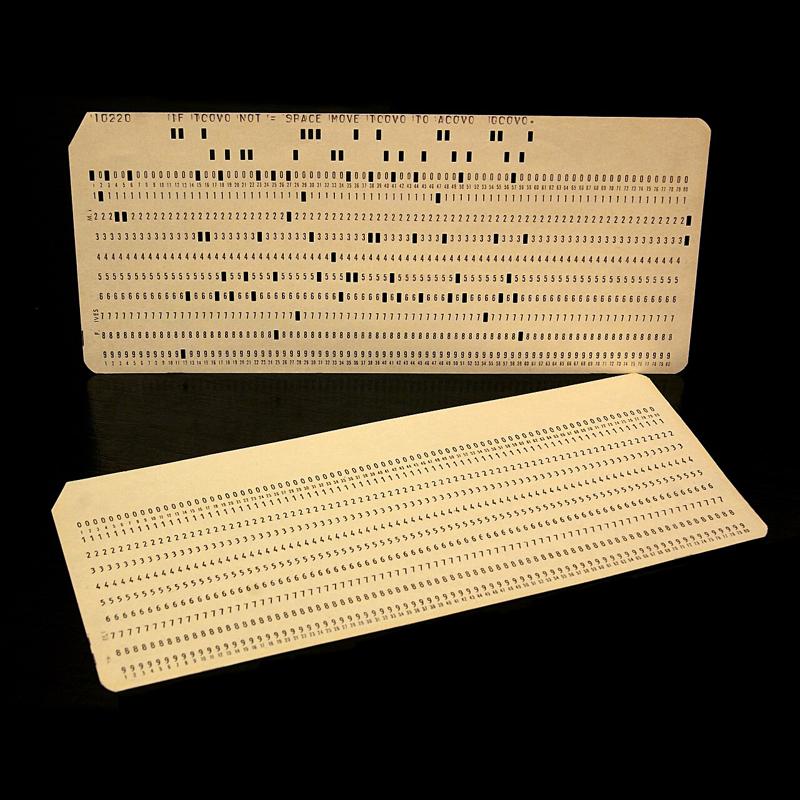
Why 80 specifically? The card’s physical dimensions set an upper bound, and IBM’s engineers chose the column density that gave a useful data capacity while remaining mechanically reliable at the card-reading speeds of the time. Eighty columns on a card of that width allowed holes large enough to punch cleanly, read reliably, and sort without jamming.
The Card’s Column Structure
A punch card was not just 80 columns of undifferentiated data. Different programming environments partitioned the columns for different purposes, and those partitions shaped the conventions that followed.
FORTRAN, the programming language introduced by IBM in 1957, was designed explicitly for the punch card. Its column assignments were fixed:
| Columns | Purpose |
|---|---|
| 1 | Comment indicator (C or *) |
| 1–5 | Statement label |
| 6 | Continuation indicator |
| 7–72 | FORTRAN statement |
| 73–80 | Sequence number |
The sequence number field deserves particular attention. A FORTRAN program was a physical deck of cards. If you dropped the deck, the cards shuffled into disorder. The sequence field (columns 73 through 80) held a number that identified each card’s position. A card sorter, which was exactly what it sounds like, could re-order a scrambled deck automatically by reading those numbers. Programmers who maintained large programs numbered their cards in increments of ten so there was room to insert new cards between existing ones without renumbering the whole deck.
COBOL, developed around the same time and standardized in 1960, used a similar but slightly different partition:
| Columns | Purpose |
|---|---|
| 1–6 | Sequence number |
| 7 | Indicator area (* for comment, - for continuation) |
| 8–11 | Area A (division, section, and paragraph headers) |
| 12–72 | Area B (statements) |
| 73–80 | Identification |
In COBOL, code begins at column 8 rather than FORTRAN’s column 7, and the comment indicator lives in column 7 rather than column 1. The two languages made slightly different choices about where the control columns ended and the code began, but both reflected the same underlying structure: the front of the card is administrative overhead, the middle is content, and the tail is for sorting.
Tab Stops
The 8-character tab stop (placing stops at columns 1, 9, 17, 25, and so on across an 80-column line) has a similar origin. Eight divides eighty into exactly ten equal segments, which made it a natural increment for the adjustable tab stops on IBM keypunch machines. Operators configured the machine’s tab mechanism to jump the punch mechanism to specific column positions, reducing the number of keystrokes needed to reach the code area on each card. The number eight was convenient arithmetic more than anything else, but it propagated through every system that inherited the 80-column convention.
Unix inherited 8-character tab stops directly from this tradition. The \t character in C, the tabs -8 default in terminal configuration, and the assumption baked into tools like expand and unexpand all trace back to the same mechanical tab stops from the punch card era. COBOL programmers note that an 8-column tab from the start of a line deposits the cursor at column 9, one position past the start of Area A: close enough to be useful, not quite flush with the boundary.
The CRT Terminal Adopts 80 Columns
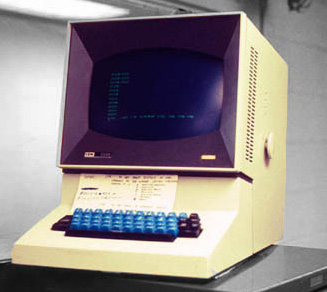
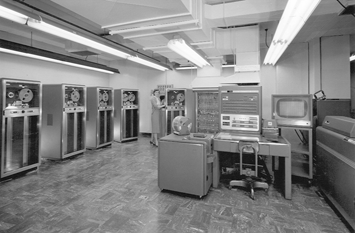
The first commercially available CRT terminal was the IBM 2260 Display Station, introduced in 1964. It came in three configurations: 6 lines × 40 characters, 12 lines × 40 characters, and 12 lines × 80 characters. The 80-column width was chosen deliberately to replicate the punch card: a line on the 80-character model could hold exactly one card’s worth of data, making the terminal a direct replacement for the keypunch. In the 40-character models, a card’s content was split across two lines.
The hardware behind the 2260 was unusual even by 1964 standards. The terminal itself held only the keyboard and CRT; all the control logic and character generation lived in a separate cabinet (the IBM 2848 Display Control) that weighed roughly a thousand pounds and could drive up to 24 terminals simultaneously over cables up to 2,000 feet long. Screen data was stored in sonic delay lines: pulses of sound sent into 50-foot coils of nickel wire that took approximately 5.5 milliseconds to traverse, emerging at the far end just in time to be fed back in for the next display refresh. The 12-row limit was not a design preference; it was the maximum the delay line technology could sustain without flicker. The 2260 also used vertical rather than horizontal scan lines, a custom CRT arrangement that had nothing to do with television standards.

A different lineage produced the 24-row count. Computer Terminal Corporation’s DataPoint 3300 (1969) chose 24 rows of 72 columns. The 72-column width was a compatibility decision: the DataPoint 3300 emulated the Teletype Model 33 ASR, the dominant hardcopy terminal of the era, which printed 72 characters per line. The DataPoint 3300 arrived at 24 rows as a practical screen capacity independent of IBM’s delay line constraints. It had the row count right but the column count wrong.
Why 24 Rows?
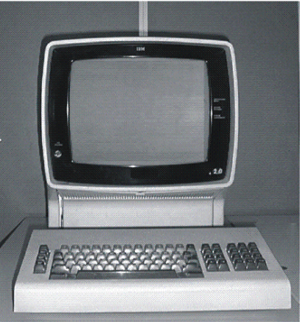
The IBM 3270 (1971) combined 80 columns with 24 rows, and the reason 24 rows is the more interesting half of the story. The 3270 replaced the 2260’s sonic delay lines with MOS shift registers, organized in blocks of 480 characters. The 480-character block size was not accidental: it matched the character capacity of a single 2260 display buffer (12 rows × 40 columns = 480 characters), preserving compatibility with software and infrastructure already written around the 2260. An 80×24 display holds 1,920 characters, which is exactly four 480-character blocks:
\[4 \times 480 = 1{,}920 = 80 \times 24\]
The choice of 24 rows was, in this sense, the result of doubling the 2260’s row count and doubling its column count, in increments that kept the memory structure compatible with the existing installed base.
This also produced a display that fit naturally on a 4:3 CRT screen. With characters rendered in an 8-pixel-wide, 20-scan-line-tall cell, 80 columns span 640 pixels and 24 rows span 480 pixels; 640:480 is exactly 4:3. Whether IBM’s designers chose 24 rows for the memory structure and observed the aspect ratio was convenient, or worked from both considerations simultaneously, the result filled a standard CRT without wasted space or distortion. The mid-1970s saw a wide variety of terminal dimensions (31×11, 42×24, 50×20, and others) which suggests that neither scan line physics nor aspect ratio alone forced any particular size. What drove convergence was that IBM had chosen 80×24, and by 1974 half of all terminals sold were IBM terminals or compatibles.
The IBM 3270 added a status line below the 24 data rows, giving 25 rows total in the full configuration. Unix-oriented terminals that followed (the ADM-3A, 1976; the VT52, 1975; the VT100, 1978) settled on 24 rows without a dedicated status line, leaving that row available for program use. AT&T’s Teletype Model 40 (1973) independently chose the same 80×24 dimensions. Once the VT100 became the reference implementation for Unix terminal emulation, with over a million units sold, 24 rows became the number that everything inherited.
The Living Fossil
The terminal in which you are likely reading this article, or the one you use for development, defaults to 80×24 because the software that creates it inherits defaults set in the 1970s, which inherited them from hardware designed in the 1960s, which inherited them from the IBM 80-column punch card introduced in 1928, which inherited its physical dimensions from the size of a US dollar bill.
The 80-column line length survives in coding style guides: PEP 8 for Python recommends 79 characters, the Linux kernel coding style mandates 80, and most linters flag longer lines. Not because monitors are 80 characters wide, but because those style guides were written when terminals were, and the convention has enough practical value (readable diffs, side-by-side editing, legibility in code review) that no one has successfully argued for abandoning it.
Some conventions outlast their reasons. Eighty columns is one of them.
References
-
Shirriff, Ken. IBM, Sonic Delay Lines, and the History of the 80×24 Display. Righto.com, November 2019.
-
Bashe, Charles J., et al. IBM’s Early Computers. Cambridge: MIT Press, 1986.
-
Ceruzzi, Paul E. A History of Modern Computing. 2nd ed. Cambridge: MIT Press, 2003.
-
IBM Corporation. IBM Reference Card: 80-Column Punched Card. Armonk: IBM, 1964.
-
IBM Corporation, The IBM punched card.
-
Ritchie, Dennis M. “The Development of the C Language.” ACM SIGPLAN Notices 28, no. 3 (1993): 201–208.
-
DEC. VT100 User Guide. Maynard: Digital Equipment Corporation, 1978.
-
American National Standards Institute. ANSI X3.9-1978: Programming Language FORTRAN. New York: ANSI, 1978.
-
American National Standards Institute. ANSI X3.23-1974: Programming Language COBOL. New York: ANSI, 1974.